We all know that before writing any article or writing content for a website, selecting the right keywords is the most important aspect for a
good visibility in search engine. And if I talk about myself,
keyword research is a road to
get higher traffic from search engines if you are using the right keywords for your article or website.
For finding best keywords for your blog, there are several
keyword tools available online. Some of them are completely free to use while some are paid tools that also offers free version for a limited time. But there are so many keywords tools popping up online, you sometimes think which one is worth using. So, in this article, I am gathering the
best free keyword research tools on the web that will help you to research the most appropriate keywords for your blog or website.
Most of these
free keywords research tools will give you the analysis of amount of search for a particular given keyword phrase. This will help you to find the best keyword with higher search amount in the search engines.
So, here are the
12 Free Keyword Research Tools For Webmasters that will help you find the best keywords for your site. I believe these keyword research tools will give you great stats to work with.
Don’t forget to  subscribe to my RSS-feed and
 follow me on Twitter for recent updates.
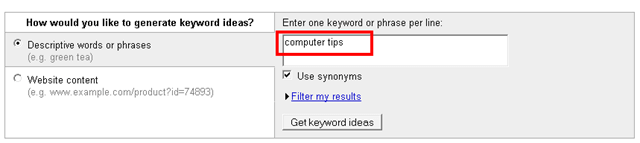
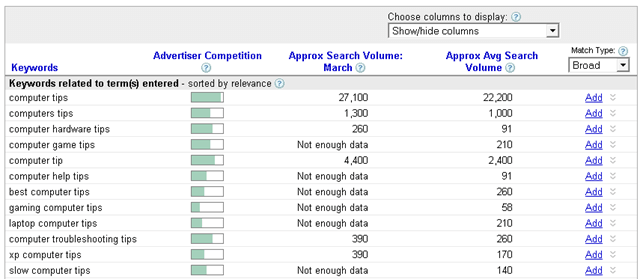
1) Google Adwords Research Tools : Some time before, this tool is used mostly by Adwords bidders, but now many of the SEO professionals and webmasters check keywords according to the amount of Google search volume.
 2) Google Search-based Keyword Tool :
The
Search-based Keyword Tool generates keyword and landing page ideas highly relevant and specific to your website. In doing so, the tool helps you identify additional advertising opportunities that aren’t currently being used in your AdWords ad campaigns. The tool goes one step further by tailoring the keywords and other data (such as the amount of competition for the keyword, the suggested bid, and more) based on your language or country/territory settings.
 3) Keyword List Generator : This free keyword phrase generator tool is web based software which allows you to generate a large number of keyword phrases based on permutations of keywords you enter.
 4) Wordtracker Free Keyword Suggestion Tools :
Enter a starting keyword to generate up to 100 related keywords. And if you use Internet Explorer 7, or Firefox 2 or 3, you can add the
Wordtracker Keywords search to these browsers.
 5) Good Keywords :
The main component of Good Keywords v3 is the Keyword Database Manager for the Google Keyword Tool. The Keyword Database tool in Good Keywords v3 is meant to help you get more out of your Google Keyword research. Its a small software of nearly 500 KB which you can download for free on your computer.
 6) Google Insights For Search :
With Google Insights for Search, you can compare search volume patterns across specific regions, categories, time frames and properties. There are several approximations that are used to compute the results.
 7) Keyword Playground :
The basis of ALL search engine rankings is keywords. Users enter keyphrases in Search Engines to get information they need, It is
VERYimportant that you optimize for such keyphrases. This tool provides you keyword suggestions and reports on their monthly search estimates. This tools has been build using the
WordTracker Database.
 8 ) Free Search Term Suggestion Tool :
This
keyword suggestion tool is an alternative to Overture keyword Suggestion
. There keyword data
is compiled and collected from a number of
search engines to provide a far more accurate cross section of searches performed world wide. Simply type a seed keyword in the blank field and have Keyword Discovery generate the top 100 keywords for you.
 9) Google Trends :
This tool is a offering from Google which allows you to compare multiple keywords to find the best keyword. Just place comma between every keyword phrase and it will compile a data which is mostly used and in trend.
 10) SEOmoz :
This tool is an aggregation of popular search queries gathered from various sources across the web like google trends, delicious, yahoo buzz, aol, glickr hot tags of a particular day. It also show top 10 search keywords for a particular date.
 11) KGen :
KGen is a
Firefox extension that allows you to see what keywords are strong on visited web pages for search engines. KGen retrieves every words of a page and lets you know how many time they appears and their weight in the page and their average position in the web page. It give you some stats on the content of the page to allows you to improve your content quality. KGen’s also a good tool to view your competitors keyword strategy.
 12) Niche Bot :
Type a keyword or keyword phrase and get up to the 100 most popular keyword listings.
 BACK-LINK- CLICK HERE
-------------------------------------------------------------------
GREAT 2 SITES 2 JOIN-
1.

2.